


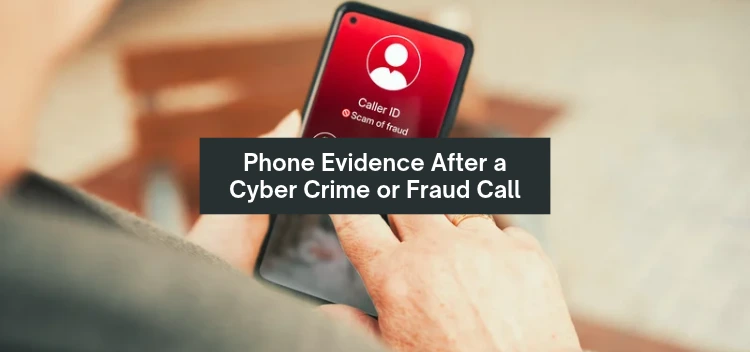
A caller claims to represent your bank’s fraud desk. He knows the last four digits of your card and keeps you on the line. Then he sends a payment link and warns that he'll block your account. The money is gone within ten minutes.
The instinct is mostly to delete the message or uninstall the suspicious app. Sometimes, people even reset the phone. That erases the very material needed to trace what happened.
A cyber crime complaint is stronger when it includes a clear trail rather than a loose bundle of screenshots. Investigators may need the following:
- The caller’s number
- Timestamps
- Payment references
- URLs
- App details
- The sequence of events.
The National Cyber Crime Reporting Portal accepts complaints relating to financial scams and identity misuse. You can also complain about hacking, malware, and other offences involving digital devices or the internet.
Preservation is not about endlessly collecting files. It means securing the right records. You also need to retain their original form (where possible). It also means avoiding changes that could later raise questions about authenticity.
Preserve the Call Trail Before Changing the Phone
The call log is the most important. Make sure to capture the incoming number, date, start time, and duration. Also, check whether the call appeared as private, international, diverted, or spam-labelled.
Take screenshots. However, don’t stop there. Screenshots are readable copies. The phone’s original call-log entry is still the best starting point for technical examination.
If the caller rang several times, preserve the complete sequence. A fraudster may use one number for the opening call, another for WhatsApp, and a third for a supposed “verification officer”. That pattern can matter more than any single number.
Make sure to save the following:
- Screenshots showing the full number and call details. Make sure the status bar and timestamp are visible.
- Any voicemail left by the caller.
- An existing call recording in its original file format. Don’t trim noise, rename it repeatedly, or run it through an editing app.
- The contact card if you saved the caller’s number.
- Spam alerts or caller-identification labels. These are displayed during or after the call.
- Notes recording the caller’s claimed name and organisation. Also, check his department, language, accent, and instructions.
Recording the Conversation
Write down the conversation as far as you can remember it. Record exact phrases when you can, especially demands for -
- An OTP
- Screen sharing
- APK installation
- Transfer to a “safe account”
- Disclosure of card credentials.
Mark recollection as recollection. Just don’t present reconstructed words as a verbatim transcript.
Should you call the number back to gather more proof?
Don’t do it! Re-engagement may cause the following damage:
- Alert the suspect
- Invite further manipulation
- Muddle the chronology.
Instead, give the number to the police.
Is a screenshot of the call log enough?
A screenshot may support the complaint. But try to retain the original phone and call-log entry. Investigators need more device-level details than a screenshot.
Should I edit a call recording to remove silence?
No. Keep the untouched call recording. Also, make a separate listening copy if needed. Editing the only file may prompt avoidable questions about alteration.
Keep Messages, Links, Apps, and Account Details Intact
Fraud calls aren't the only threat. The caller may switch to -
- SMS
- Telegram
- A video-call application.
Preserve each connected exchange. Include even messages that looked harmless at first.
1. Taking Screenshots
Take long screenshots showing the following:
- The sender’s number or handle
- Message sequence
- Timestamps
- The suspicious link.
2. Exporting the Chat
Export the chat (where the application permits it). Do it without deleting the live conversation. An exported chat can help cyber lawyers or investigators review the chronology. Meanwhile, the original account retains contextual data.
3. Dealing with Links
Be careful with links. Copy the full URL into a plain-text note. Do it without opening it again. The following issues can point towards infrastructure used in the fraud:
- Shortened links
- Misspelt banking domains
- Payment pages
- Remote-access invitations
- Fake customer-care sites.
What You Can Report?
The National Cyber Crime Reporting Portal also lets you report the following:
- Suspect phone numbers
- WhatsApp or Telegram identifiers
- Email addresses
- Website URLs
- SMS headers
- Social-media URLs
- Mobile apps.
What If the Caller Directs You to Install an App?
If the caller directed you to install an app, don’t launch it again just to inspect it. Photograph or screenshot:
- The app icon and exact name
- Its information page and version number
- The installation source and permissions
- Accessibility, screen-sharing, device-administrator, notification-reading, or SMS permissions
- Downloaded APK (visible in the Downloads folder)
- Browser download history connected with the installation.
However, there’s a trade-off. Leaving a malicious app active may expose further data. But you cannot impulsively uninstall it. Otherwise, it may remove useful traces.
So, disconnect the phone from mobile data and Wi-Fi. Use a different trusted device to contact the bank and police. Then, seek instructions on safe isolation.
In some cases, business operations depend on the phone. Just document its condition before any unavoidable remediation.
Is it okay to forward suspicious messages to another phone?
Of course, you can. But forwarding isn’t a substitute for preserving the original thread. In fact, forwarded messages might lose sender details, timestamps, headers, or surrounding context.
Is it okay to open the fraudulent link for another screenshot?
No. Preserve the existing message and visible URL. Reopening the link may -
- Trigger malware
- Expose current credentials
- Produce fresh activity unrelated to the incident.
Record the Money Trail and Build a Plain Chronology
In financial fraud cases, phone evidence should link the call to the movement of money. So, save the following:
- Bank and wallet notifications
- UPI collect requests
- Transaction-confirmation screens
- Beneficiary details
- Account numbers
- UPI IDs
- Merchant names
- Reference numbers (UTR or transaction ID).
Download the relevant bank statement or transaction receipt from the official banking application or website. Use another trusted device if the affected phone may be compromised.
Also, don’t rely solely on an SMS stating that money was debited. An account statement provides a clearer record of -
- The amount
- Time
- Narration
- Destination information available to the customer.
Build a Short Chronology
Stick to this short chronology in a note or spreadsheet:
|
Time |
Event |
Evidence retained |
|
2:07 pm |
First call received |
Call-log screenshot |
|
2:14 pm |
Payment link arrived by SMS |
Original SMS and URL copy |
|
2:19 pm |
UPI transfer completed |
Receipt, UTR, bank alert |
|
2:23 pm |
Caller disconnected |
Call duration and notes |
|
2:31 pm |
Bank informed |
Complaint number and email |
Use the actual times shown on your phone and in your banking records. If you’re estimating, write “approximately”. A neat but inaccurate timeline creates contradictions later.
Report financial fraud quickly through helpline 1930 or the Cyber Crime Reporting Portal. The reporting system connects law-enforcement agencies with banks and payment intermediaries.
This helps them trace funds. They can also hold them before they move through further accounts (where possible). Don’t wait for the perfect time to file a cyber crime complaint.
What if I don’t know the beneficiary’s full details?
Report what appears in the following:
- Receipt
- Statement
- Payment application.
Banks and investigators may obtain further account information through their formal processes.
Is calling the bank enough after a fraud transfer?
No. You must do the following as well:
- Notify the bank
- Call 1930
- File through the official portal.
Keep every acknowledgement number. Each record shows when you reported the loss.
Protect Original Files and Document Every Later Step
Once the immediate report is made, create two preservation sets. Keep one untouched copy. Use another for viewing, printing, or sharing with your lawyer.
1. Backup Your Files
Also, copy files to a trusted computer or encrypted storage. Retain their original names and formats. Avoid sending everything through messaging applications. Compression or re-saving may change file quality and metadata.
2. Create an Evidence Index
Prepare an evidence index with the following:
- File name
- Description
- Source device
- Creation date
- Date copied.
What If the Phone is Business-Owned?
For a business-owned phone, record the following:
- Employee’s name
- Device make and model
- Mobile number
- SIM details
- The person who took custody.
Note when and why the handset changed hands (if applicable). This simple custody record can prevent later confusion.
3. Treatment of Evidence
Just don’t do the following:
- Factory-reset the phone
- Clear browser history
- Delete the fraudulent contact
- Overwrite a recording.
You may need to change passwords to limit harm. But do it from a clean device and note the time.
What Does the Law Recommend?
The Bharatiya Sakshya Adhiniyam, 2023 came into force on 1 July 2024. It governs the treatment of evidence (including electronic records) in judicial proceedings. Therefore, the following become relevant beyond the initial cyber crime complaint:
- Authenticity
- Source
- How an electronic record was produced.
The Role of the Police
Give police copies unless the device itself is formally taken. If police seize a phone, ask for a receipt or seizure memo. In this case, identify the handset, SIM, and other items handed over.
Don’t informally surrender an unlocked business device to an unknown caller. Any caller might claim to be an officer. Independently verify the officer and police station.
Is it okay to keep using the compromised phone?
Absolutely not! Do the following instead:
- Isolate it first
- Move your normal activity to a clean device.
- Preserve the affected handset.
Don’t reset it until the police or a forensic professional advises otherwise.
Early Preservation Turns a Fraud Call Into a Traceable Record
In practical terms, phone evidence is fragile. For instance, the following issues are common:
- Call logs roll over
- Messages get deleted
- Apps update
- Links expire
- Frightened users try to clean the device (understandably).
Yet a hurried reset can turn a specific incident into a contest of recollections.
So, preserve the original call trail and connected communications. Moreover, keep evidence of payment records and details of suspicious apps. Also, keep a time-stamped record of what you did next.
Report financial loss without delay now!
Share:




Share on
×