


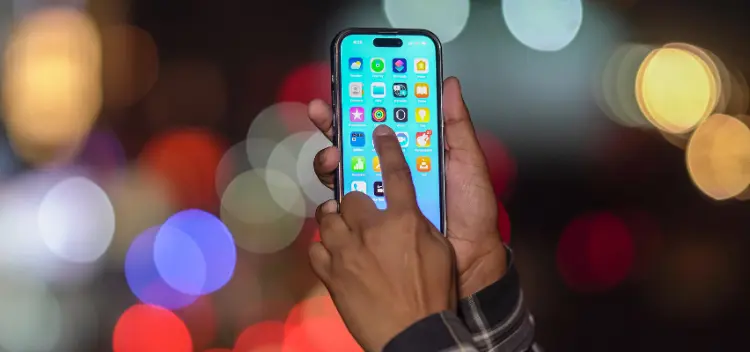
When you show someone a pic on your phone, and they start swiping through your phone gallery!! Annoying moment…right? You are annoyed because all of it is your personal space. Then why do you allow in-app access while downloading a new application on your phone? The privacy threat from app permissions on Android or other devices is not something new to know about. Although it is a lot of technical stuff, knowing why you should not agree to all app permissions may give some motivation to stay updated with the minor vigilance, which may help save all the personal data.
Why do Apps Need so Many Permissions?
When you download an application on your electronic devices (For example, smartphones, tablets, etc.), the application may ask for certain permissions just after opening. All these permission pop-ups are nothing but user agreements by the makers of applications which require users’ consent before using certain smartphone features. The main objective is to let the user know what features might be used in order to use the application effectively. For example, if you are using WhatsApp, you may need to give access to your contacts for sync, access to the gallery for sharing any media with another contact, camera and microphone access for making audio or video calls, etc. If you deny Android app permissions, you may not be able to use particular features. It may also include the inability to use certain apps due to select media permission settings.
Further, app developers operating in India are also expected to process users' personal data in accordance with the Digital Personal Data Protection (DPDP) Act, 2023. While the Act does not prohibit applications from seeking permissions, it emphasises obtaining clear, informed and specific consent before processing personal data, unless another lawful ground applies. Therefore, users should carefully review every permission request instead of granting blanket access.
Hence, in order to run properly and to have full use of all the in-app features, apps need so many permissions in order to comply with the privacy laws over the internet.
What Permissions do Apps Really Need?
The main objective of Android app permissions is to safeguard user privacy and give limited and informed access to the application server on the user’s device. If an application has to open the camera features, it has to seek the user’s permission to allow access to the smartphone camera. If you download a call recording application, access to the microphone and storage space for the same is required.
To save your own personal data is why you should not agree to all app permissions. Given below are the usual Android app permissions sought by:
- Camera – Required by image and video editors along with social apps which enable you to share media (Snapchat, Beautycam, WhatsApp, Instagram, and similar).
- Contacts – Social and chat apps like WhatsApp, Instagram and Facebook require this in order to allow you to search for friends in the app.
- Body sensors – Fitness tracking applications like Google Fit.
- Microphone - Audio recording apps (ACR, RMC) and messaging applications (WhatsApp).
- Calendar - Lots of applications require access to the calendar just so they can send you notifications.
- GPS / Location - Applications such as ride-hailing and delivery apps (Zomato, Swiggy, Ola, Uber, etc).
- Call making ability - Certain applications such as Truecaller or WhatsApp that require dialling of numbers.
- Messages - Banking and many other applications require this so that they can retrieve OTPs.
- Storage - Media editing and social media applications that store photos or videos in your device.
However, sometimes there may be some instance whereby the Android app permissions list includes access to such features which are not actually required for running the whole application or any of the particular functions. For example, if a call recording application seeks access to your media gallery, the same is not required per se. Hence, based on the required or assessed use of any particular features, one should know “what app permissions should I allow?” If there is a photo editing application which seeks your phone’s location, you should deny access.
Digital Personal Data Protection (DPDP) Act, 2023 and Your Consent
The Digital Personal Data Protection Act of India, 2023 has further tightened the guidelines for collection and processing of personal data. If the app uses the method of consent, then this consent must be voluntary, specific, informed, unconditional, and unequivocal. This implies that you need to:
- Read all the permissions requested by the app before giving “Allow”.
- Grant only those permissions which the app really needs.
- Open the settings on your phone and deny permissions later if you don’t need them anymore.
- Prefer apps that inform about the reason behind requesting permissions.
Just because an app asks for something doesn’t mean you have to say yes. Watch out for dark patterns when granting permissions.
Beware of Dark Patterns While Granting App Permissions
Guidelines for Prevention and Regulation of Dark Patterns have been released by the Central Consumer Protection Authority (CCPA). These guidelines are strictly against any interface manipulations that would compel people to take actions that they normally would not take. The next time you download an application, be alert for the following tactics:
- Use of the “Allow All” button in bold colours, and the “Deny” button is almost invisible.
- Pop-ups that keep appearing until you give in.
- Wording that makes it sound as if the whole app will stop working if you refuse, even when only an optional feature is affected.
- Tying unnecessary permissions to the ones that are actually essential.
Take a moment to read the permission prompts instead of automatically tapping “Allow”.
What App Permissions Should I Avoid?
If you are looking for app permissions to avoid, you should first understand the essence of permission sought for. If an in-app permission pop-up asks for access to a feature which is not going to prove useful, do not allow access to the same. Assessing the threat from app permissions in Android may save you from a lot of unwanted trouble. The context behind “what is the importance of setting up permissions in app development” can be understood from someone whose personal data has been used by some unauthorised person. If you are someone who becomes the victim of some financial fraud or data leak due to misuse of Android app permissions, a cybercrime lawyer may save the interests.
Which App Permission is the Most Risky?
A user’s most important data in the smartphone or other electronic device is personal information, usually in the form of images in the gallery and financial information like bank account numbers, OTPs, CVV, etc. Sometimes, even if you are vigilant enough not to give any in-app access, someone may prompt you to download such applications through which they may fraudulently access important information. The answer to “which app permission is the most risky?” lies with the information which is at stake. Given below are some of the applications through which one may use another person’s device.
- AnyDesk
- TeamViewer
- AirDroid
- APK
Through the above-mentioned applications, instances have come to light where a victim ends up asking some fraudulent person for advice against a minor financial fraud or alike. This fraudulent person asks you to download one of the above applications and asks you to share all the required passcodes to access your devices. They may also ask the victim to share personal information like passwords or one-time passwords (OTP). In such cases, one’s finances are at stake, and that too with Android app permissions shared with another person recklessly. Without any delay, searching for how to register a complaint in the cyber cell may help out with legal security procedures.
Another instance has come to light where some people received calls whereby the caller used name-and-shame tricks against one of their contacts who apparently defaulted on a loan in the said banking company. The loan defaulter must have downloaded the online application unknowingly, entrusting the same with contact access. The person may be actually going through tough times, but since contact access is given, the creditor uses the same against the user’s interests by calling their contacts, publicising the loan default.
Conclusion
In the technology-dependent world where people do not leave their smartphones behind for a minute, the Android app permissions list is the last thing someone gives a damn about. But when someone gets to hear that a neighbouring country might be tracing your information, everyone gets a panic attack. Prevention is always better than cure. Knowing which app permission is the riskiest may save a lot of time and energy from any data threat from app permissions in Android.
With the DPDP Act, 2023 and the CCPA's Dark Patterns Guidelines now shaping India's digital privacy landscape, users have stronger legal safeguards than before. However, the first line of defence is still informed decision-making. Read every permission request, question unnecessary access, and remember that protecting your personal data begins with a single tap on "Allow."
Share:








Share on
×